

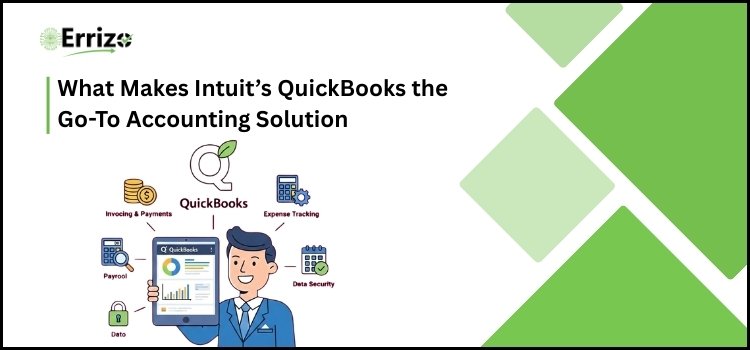
Managing finances in today’s dynamic business environment is no easy undertaking. From daily bookkeeping to cost tracking and performance reporting, businesses require dependable software that can handle everything in one location. Many businesses rely on reputable financial tools to prevent errors, save time, and keep data organized.
One well-known solution is Intuit’s QuickBooks software, which is noted for streamlining accounting processes and increasing financial insight. However, as with any financial system, it has both advantages and disadvantages. Blindly relying on a platform without understanding its benefits and drawbacks may not be the best strategy.
This guide will help you understand why so many businesses use this financial software, how it helps to streamline operations, and what makes it a reliable alternative for managing critical financial data.
Key Features That Make Intuit’s QuickBooks Software Stand Out
Understanding the features of an accounting platform is critical before deciding on one. The best financial software should manage statistics while also simplifying procedures, protecting sensitive data, and increasing overall productivity. The following are the essential features that make this software a top choice for businesses looking for dependability, ease of use, and wiser financial management.
1. Secure Your Data
Data security is critical in today’s developing cybercrime climate. QuickBooks software from Intuit protects sensitive financial information with strong encryption, multi-factor authentication, and secure cloud backups. Its bank-level security requirements and automatic data recovery options provide an added layer of security that many simple accounting applications lack. Real-time monitoring and restricted user access ensure that only authorized individuals may view or edit financial details, making it far more secure than many older systems.
2. Excellent User Interface
Financial software’s complicated dashboards and technical designs can be daunting. However, this platform was created with clarity and simplicity in mind. Its user-friendly interface offers simple navigation, clear financial reports, and well-organized menus. Even individuals with basic accounting experience may handle invoicing, costs, and reporting with ease. The intuitive layout avoids errors, saves time, and makes daily financial duties easier and more effective for organizations of any size.
3. Easy Setup
Many accounting systems require lengthy setups and complex configurations. In comparison, this software provides a quick and guided setup process. Businesses can quickly manage their accounts thanks to step-by-step instructions, automatic data syncing, and simple customization possibilities. There is no requirement for advanced technical skills. The simple onboarding process enables businesses to concentrate on operations rather than dealing with complex software installation procedures.
4. Real-time Financial Insights
One of the most useful features of the software is its ability to deliver real-time financial information. Dynamic reports allow businesses to rapidly manage cash flow, monitor expenses, and examine profit and loss accounts. These automatic insights enable owners to make faster, more informed decisions. Unlike many traditional tools that require manual updates, the system automatically syncs data to provide accurate and up-to-date financial information.
5. Seamless Integration Capabilities
Modern firms employ a variety of solutions for payroll, inventories, payment processing, and client administration. This program works seamlessly with a variety of third-party apps, minimizing manual data entry and increasing workflow efficiency. Seamless connection reduces errors and fosters a linked financial environment. This adaptability makes it more adaptable than many standalone accounting programs, which have restricted integration capabilities.
6. Automated Bookkeeping and Smart Reports
Manual bookkeeping raises the possibility of errors and takes up crucial time. This software automates expense classification, recurring invoice generation, tax computations, and financial reporting. Its clever reporting features provide precise insights with no effort. Automation minimizes workload, increases accuracy, and ensures adherence to financial regulations. This level of intelligent automation is one of the primary reasons why organizations trust and rely on this service.
Also Read:- How Errizo Helps Businesses Gain Financial Clarity Without a CFO
Business Growth Benefits of Smart Accounting Solutions
Now, let’s look at how the correct accounting solution may genuinely revolutionize your business operations. In addition to managing numbers, it may improve decision-making, save time, and tighten financial control. One reliable alternative, QuickBooks software, has practical benefits that help businesses run with confidence, clarity, and long-term stability. Here’s how it provides genuine benefit.
1. Improved Cash-Flow Management
Healthy cash flow is the foundation of any successful firm. Businesses benefit from automated revenue and expense tracking because it provides a clearer picture of where money comes from and goes. This awareness helps to avoid shortages, late payments, and financial instability. Proper cash monitoring enables wiser budgeting and smoother everyday operations.
2. Simplified Tax Preparation
Tax season can be both unpleasant and time-consuming. This accounting solution keeps financial records organized throughout the year, making tax preparation easier and more accurate. Expense categorization, downloadable reports, and transaction history storage all help to prevent last-minute confusion. Businesses that keep everything organized and accessible reduce errors, cut compliance risks, and feel more prepared when submitting tax returns.
3. Increased Financial Accuracy
Manual accounting raises the risk of costly errors. Automated calculations and organized data management help to eliminate errors in reporting, invoicing, and expenditure tracking. Improved accuracy fosters trust in financial records and enables more effective business planning. Reliable data enables owners to make confident judgments without second-guessing their financial situation.
4. Time-saving Automation
Time is an invaluable resource for every business owner. Automating periodic bills, payment reminders, and transaction tracking helps to decrease repetitive work. Instead of spending hours monitoring spreadsheets, organizations can concentrate on strategy, customer service, and expansion. Automation improves efficiency and guarantees that critical financial processes are not ignored.
5. Scalability for Growing Businesses
As a business grows, its financial requirements get increasingly complex. QuickBooks software from Intuit is meant to grow with the organization. Whether adding users, managing bigger transaction volumes, or managing several accounts, the system adjusts to changing needs. This adaptability makes it a long-term solution rather than a quick remedy.
6. Professional Invoicing and Faster Payments
Professional-looking bills increase brand reputation and encourage prompt payment. Customizable invoice formats, digital payment methods, and automatic reminders help to enhance the whole payment cycle. Faster payments increase liquidity and eliminate the need for ongoing follow-up. Efficient invoicing improves client connections while maintaining a constant income flow.
7. Improve Business Decision-Making
Access to organized financial reports enables more informed decisions. A detailed summary of income, losses, expenses, and trends provides useful information on performance. Business owners can identify development prospects, reduce wasteful expenses, and plan intelligently. Clear financial visibility converts raw data into actionable strategies for long-term success.
Potential Limitations Businesses Should Not Ignore
No financial program is flawless, and understanding its limitations is equally as vital as knowing its benefits. A well-informed decision enables organizations to prevent future frustration and unanticipated obstacles. While QuickBooks Software provides great tools, there are several limitations that businesses should consider before fully committing to the platform.
1. Subscription Costs May Increase Over Time
While the initial price may appear affordable, subscription prices may increase as firms upgrade plans or add more users and services. Additional expenditures for payroll, enhanced reporting, or integrations may raise the overall cost. For small firms with limited resources, rising expenditures can become a source of anxiety over time.
2. Lower Plans have Limited Customization Options
Some entry-level plans have limited functionality and customization possibilities. Businesses with complicated accounting requirements may find the simple versions unsuitable. Advanced reporting, precise inventory management, and industry-specific features may necessitate higher-level memberships. This means that businesses may need to upgrade sooner than intended in order to get more specialized services.
3. Learning Curve for Advanced Features
Although the UI is easy to use, understanding sophisticated capabilities can take some time. Financial reporting customizations, tax arrangements, and integration settings may necessitate training or professional assistance. Businesses lacking accounting skills may struggle with more technical settings at first, causing implementation to slow considerably.
4. Dependence on Internet Connectivity
Cloud-based functionality allows for greater flexibility, but it also requires reliable internet access. Any breakdown in connectivity may temporarily restrict access to financial records and real-time changes. For organizations operating in areas with unpredictable internet connections, this dependency may have an impact on workflow and daily financial management tasks.
5. Limited Support in Basic Plans
Customer support options may differ depending on subscription level. Some lower-tier plans include minimal direct help, resulting in longer resolution times. While help resources and community forums are accessible, organizations that require quick technical assistance may need to invest in more comprehensive planning for priority support services.
Conclusion
Choosing the best accounting software is about more than simply popularity; it also has to be appropriate for your company’s needs. QuickBooks software from Intuit stands out for its automation, reporting, and dependability, but its true power depends on how well you use it. Many people neglect the “secret” of appropriate setup, regular upgrades, and a thorough comprehension of its functions. When used intelligently and with an understanding of its limitations, it may be an effective financial partner for long-term business growth and stability.